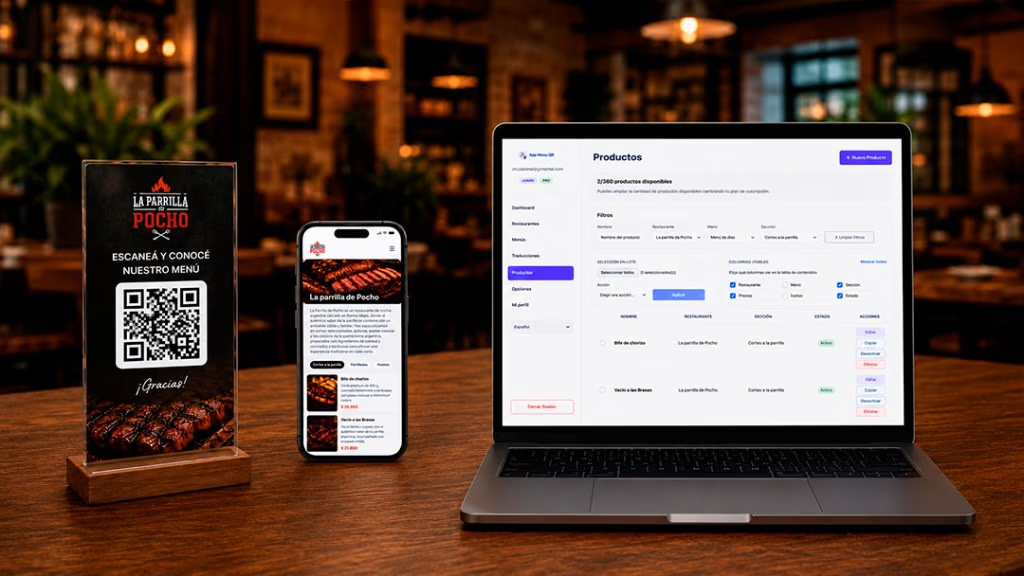
A dish sold out
Disable it so it stops showing temporarily.
Gestiona los productos de tu carta desde un único panel.
Desactiva temporalmente platos agotados, vuelve a mostrarlos cuando estén disponibles y destaca las opciones que quieres recomendar a tus clientes. Todos los cambios se reflejan en la carta digital sin modificar ni volver a imprimir el código QR.
Keep your offer updated throughout service.
 Demostración: gestionar productos del menú
Cuando un plato deja de estar disponible, no necesitas borrarlo ni modificar toda la carta.
Puedes desactivarlo desde el panel para que deje de mostrarse temporalmente a los clientes. Cuando vuelva a estar disponible, solo tienes que activarlo nuevamente.
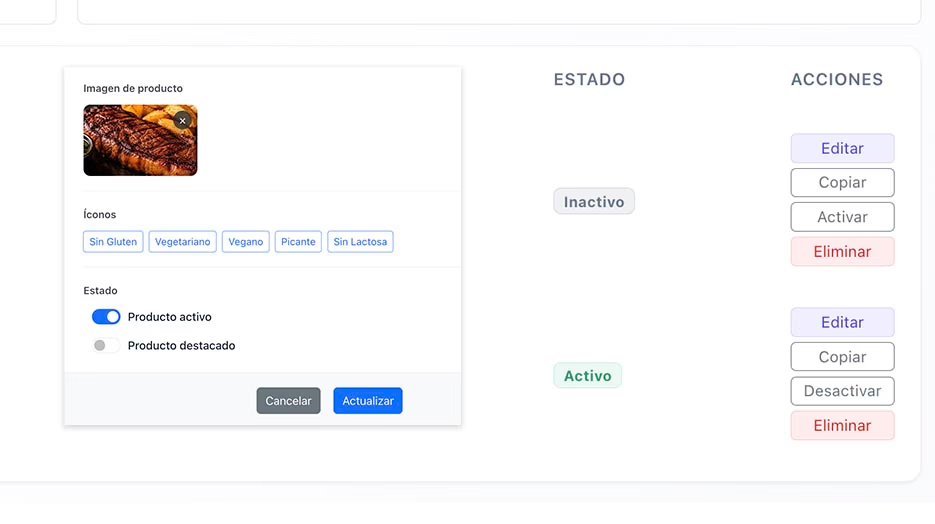
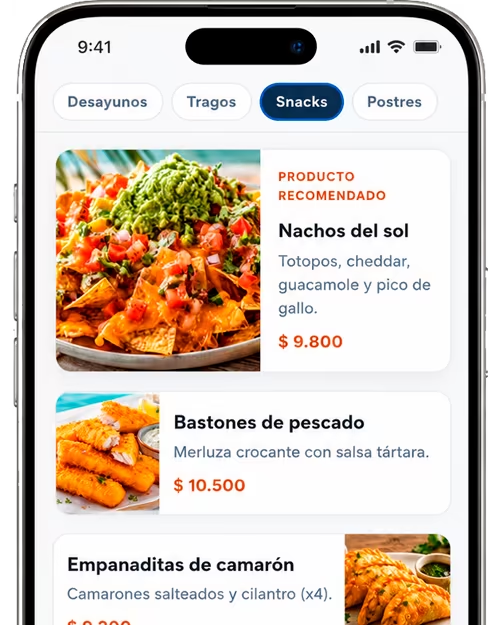
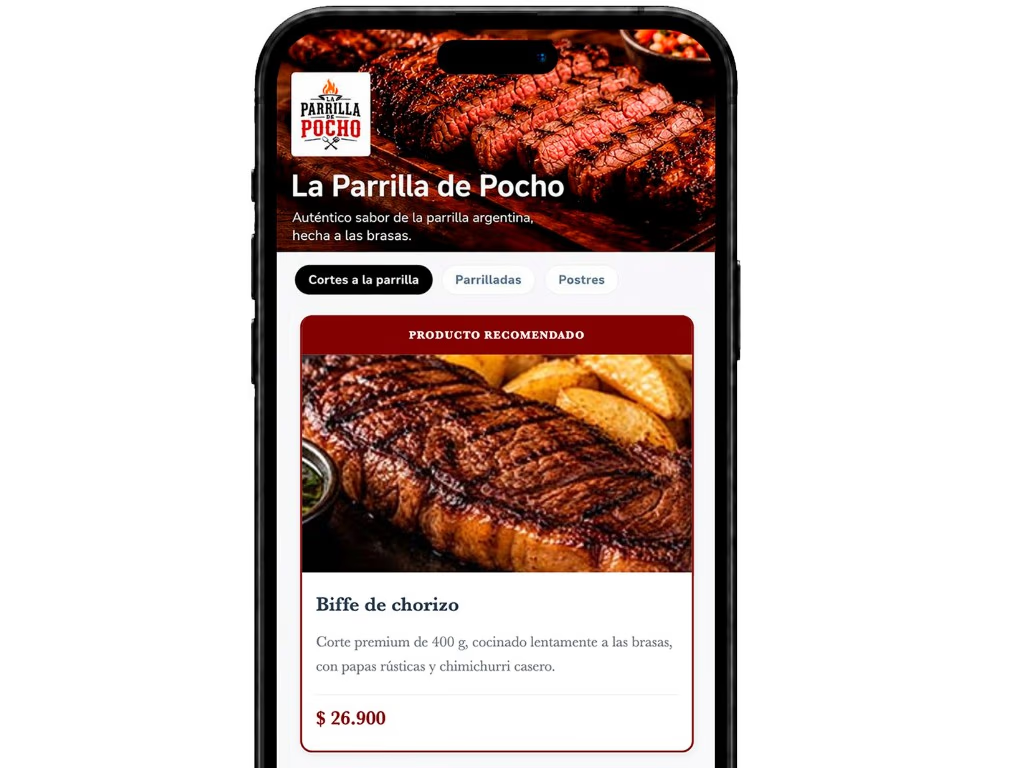
Selecciona productos para darles mayor visibilidad dentro de la carta digital.
Puedes utilizar esta función para mostrar recomendaciones, especialidades de la casa, novedades, promociones o platos con mayor interés comercial.
Un producto destacado resulta más fácil de identificar y puede orientar al cliente cuando revisa una carta con muchas opciones.
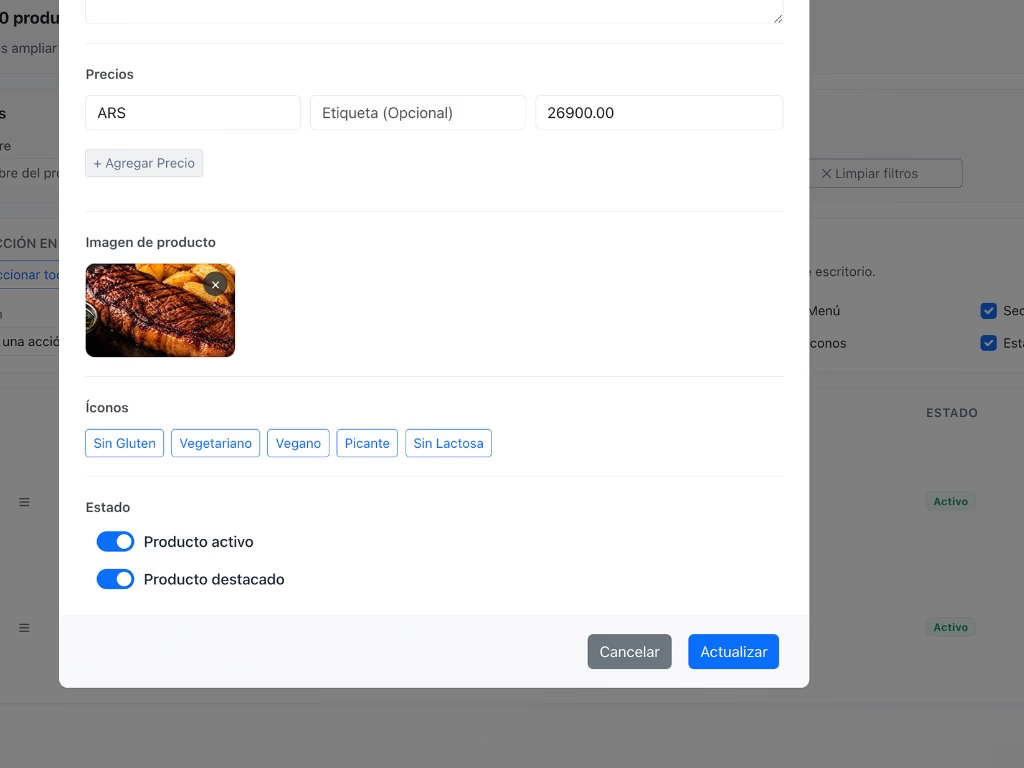
Desde el mismo panel puedes modificar la información de los platos y bebidas.
Según las opciones disponibles, puedes editar:
Los cambios se muestran en la carta digital sin generar un nuevo QR.
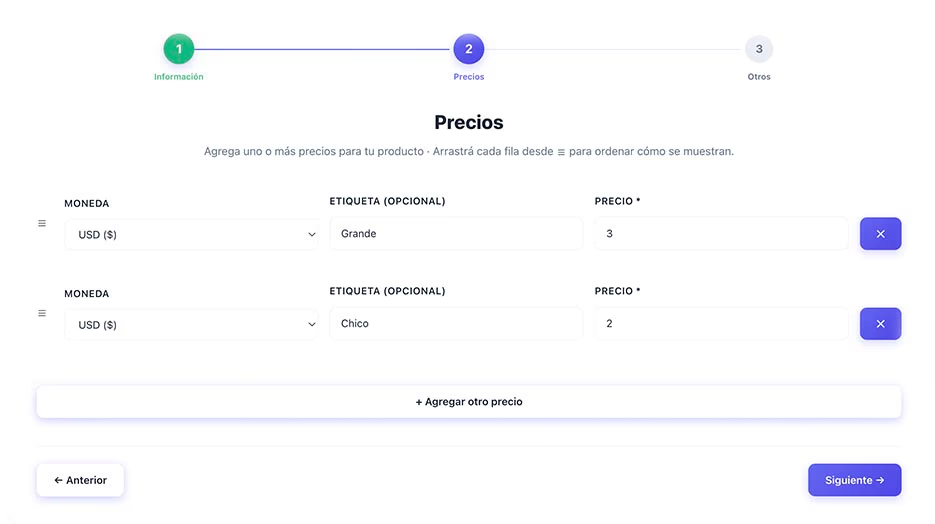
Use filters to locate it by name, restaurant, menu, or category.
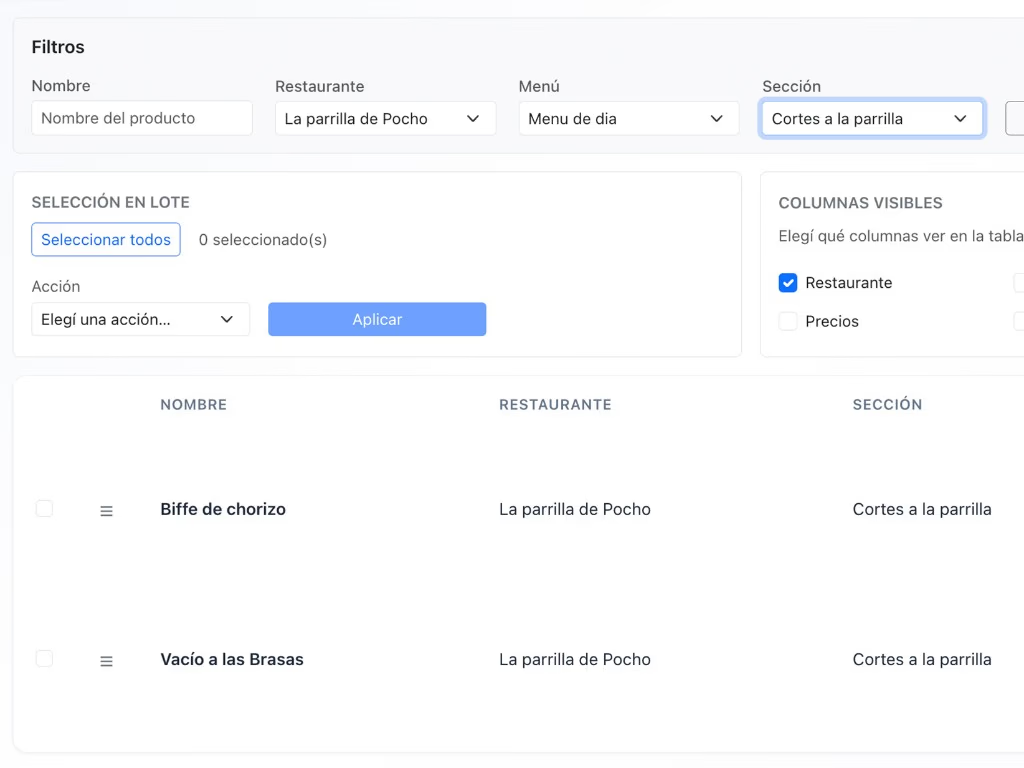
Edit, enable, disable, or feature the product based on what you need.
The new setup appears on the digital menu.
Disable it so it stops showing temporarily.
Add it and feature it so guests can spot it quickly.
Update it from the panel without reprinting the QR.
Enable it again without re-entering all of its details.
Keep availability up to date during service.
Enable or disable products without editing documents or files.
Feature recommendations, new items, and specialties.
Manage all information from a single panel.
Changes apply without replacing the codes on the tables.
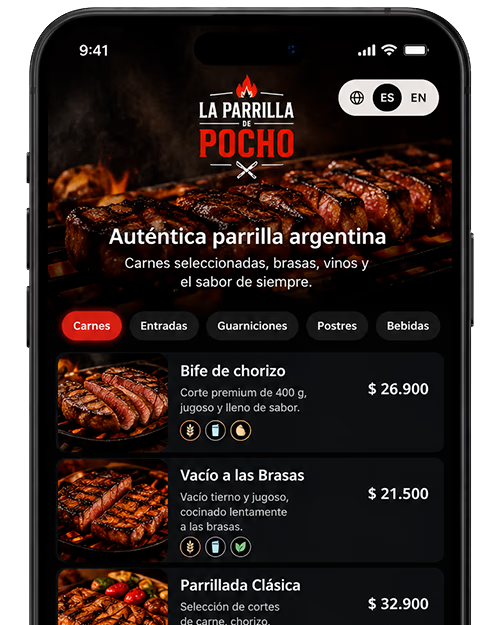
Yes. You can disable it temporarily and keep all of its information.
Yes. When it’s available again, you can enable it from the panel.
No. Changes appear on the digital menu while keeping the same QR.
Yes. You can feature multiple products at once based on what your menu needs.
Yes. You can edit the details available on the product card.
It stops showing on the digital menu, but stays saved in the panel so you can use it again.
Activa, desactiva, edita y destaca productos desde un único lugar.
Controla qué opciones ven tus clientes y actualiza la disponibilidad sin volver a imprimir el código QR.
Organize your restaurant offer quickly and easily.